Archera AI

Everything you used to navigate. Now you just ask.

Archera AI is an agent for your cloud commitments. Ask plain-language questions about your savings, coverage, and commitments, get answers in seconds, and take action without opening a single dashboard. Built into the Archera platform and available in the AI tools you already work in over MCP.
Platform9
PubNub
Checkmate
Olaplex
Picasso
Kumu
Horizon3.ai
Cerby
Hex
BitMEX
Daily
Floyo
Attunely
Spec
Cyderes
GPTZero
Platform9
PubNub
Checkmate
Olaplex
Picasso
Kumu
Horizon3.ai
Cerby
Hex
BitMEX
Daily
Floyo
Attunely
Spec
Cyderes
GPTZero
Six dashboards
Coverage
Forecast
Commitments
Utilization
Invoices
Plans
becomes one conversation
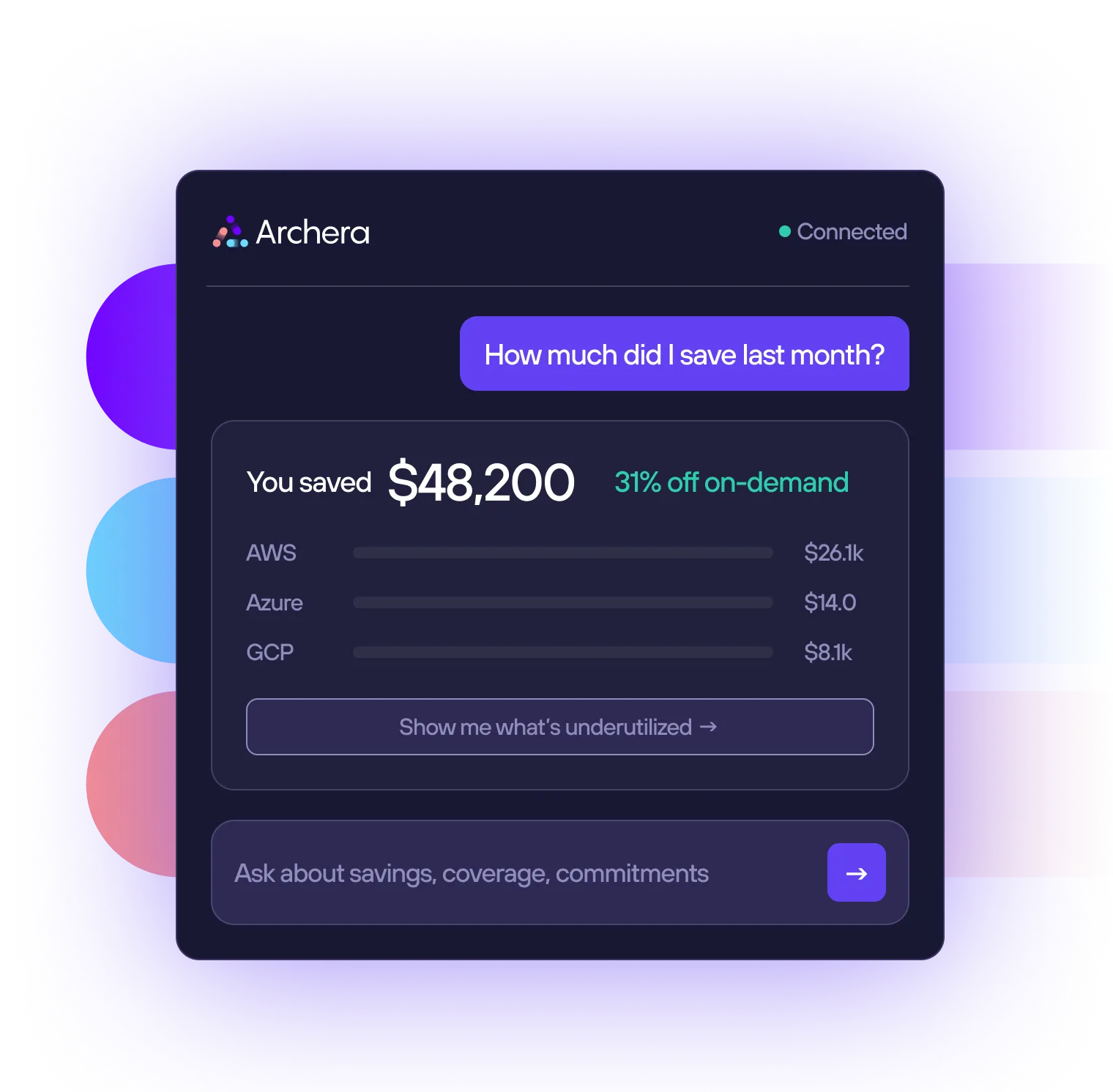
How much did I save last month?
$48,20031% off on-demandAcross AWS, Azure and Google Cloud. 2 commitments are underutilized.
Show underutilizedCompare 1-year vs 3-yearBuild a plan

The problem with dashboards

Dashboards are good at showing data and bad at telling you what to do. Every answer is behind a different screen, and every action is a different workflow. Archera AI collapses all of it into a set of conversations. You ask, it answers, and it acts when you're ready.

Ask it anything

One question, one coherent answer

The agent pulls from your live cloud resource and commitment data, such as tags, billing, and attribution data, to give you one coherent answer. No report-building, no navigation.
"How much did I save last month?"
"What would my savings look like on a one-year versus three-year term?"
"Which of my commitments are underutilized?"
"Which accounts have the lowest commitment coverage?"

Then tell it what to do

Archera AI doesn't just surface information. It walks you through the trade-offs and takes action on your behalf when you're ready.
1
Compare commitment plans and offer alternatives
2
Create, edit, and copy custom plans
3
Apply commitments to make real purchases
4
Schedule automated commitment management strategies that execute when projected savings clear a threshold you set
For example: "Create a Balanced plan and schedule it to auto-purchase when savings exceed 20%." The agent explains the options and runs it the moment you say go.
Archera● Connected
Type your question…Ask
CONNECT

Use it in the tools you already work in

Archera connects over the Model Context Protocol (MCP), so you can reach your full portfolio from inside Claude, Cursor, VS Code, and other MCP-compatible tools, without opening Archera at all.
Connect via MCP
Works with
Claude
Cursor
VS CodeVS Code
+Any MCP-compatible tool
CAPABILITIES

What you can ask it about

Portfolio health

Savings rate, coverage, utilization, and prioritized next actions per cloud

Commitments

What's active, what's expiring soon, what's underutilized, and what each one is covering

Plans

Recommended, Balanced, High Savings, and Agent-Built Plans

Savings and spend

Daily savings, costs, premiums, rebates, and total cloud spend over any range

Invoices

Savings, premiums, and rebates as actually billed

Your resources

What you're running, with spend, usage, and pricing detail

Get started

Simply create a free Archera account to use the agent.